CodeXP v1.0.0 Released!

CodeXP
Introducing Intellij CodeXP Plugin v1.0.0!
CodeXP, a plugin runnable on any Intellij-based IDE, is now available on the JetBrains Marketplace.
What is CodeXP?
CodeXP is an Intellij plugin designed to make coding as fun as playing a game, providing a more enjoyable coding experience.
Development Motivation
As a programmer, I started programming because I found it fun. However, encountering countless bugs and long hours of work could make the process tedious. I thought it would be great to have a visual indicator of progressing programming skills as I code. Moreover, I believed that if such indicators were provided while making programming seem like a game, it could make the experience even more enjoyable.
That’s how CodeXP was born. Granting experience points for various tasks during development, providing statistics on the work you’ve done, and displaying an effect that you’re accumulating experience points while coding. We hope that these elements will make your programming more fun, reaffirm that you are gradually growing, and further motivate your programming.
Although this is my first Intellij Plugin and not a plugin created in a fully planned state, there may be some shortcomings. However, as I created this plugin for my own use, I plan to continuously improve it. Your help is needed for this. CodeXP is an open project on Github where you can participate directly and write Issues for inconveniences or bugs.
We ask for your active participation so that CodeXP can be a more helpful plugin for many developers.
v1.0.0 Patch Notes
CodeXP v1.0.0 includes a Dashboard where you can view various statistics on the work you’ve done in the Intellij IDE, and elements of fun like leveling up and achieving challenges.
CodeXP Dashboard
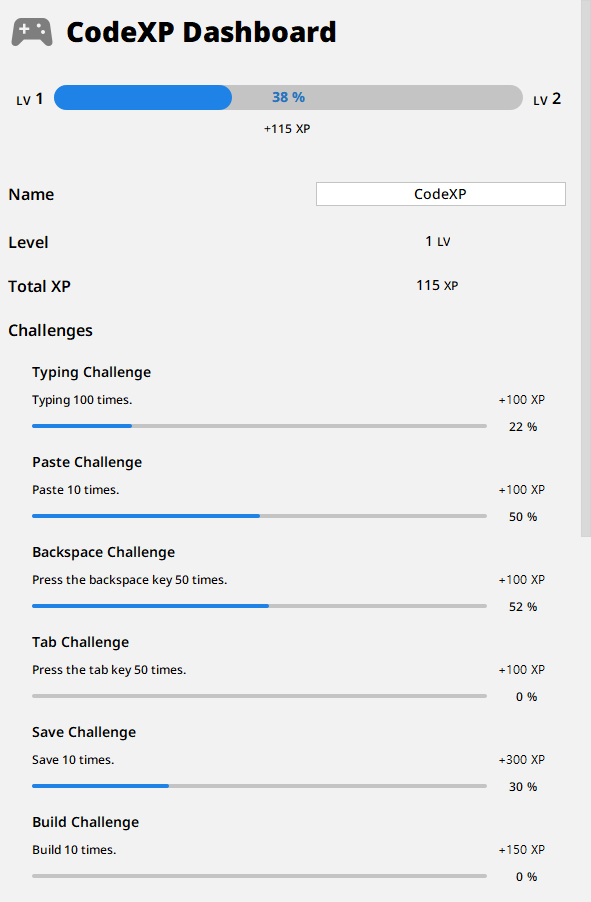
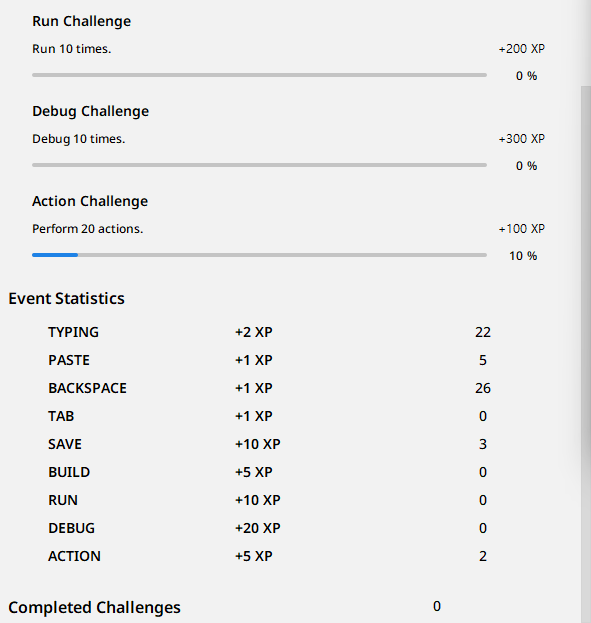
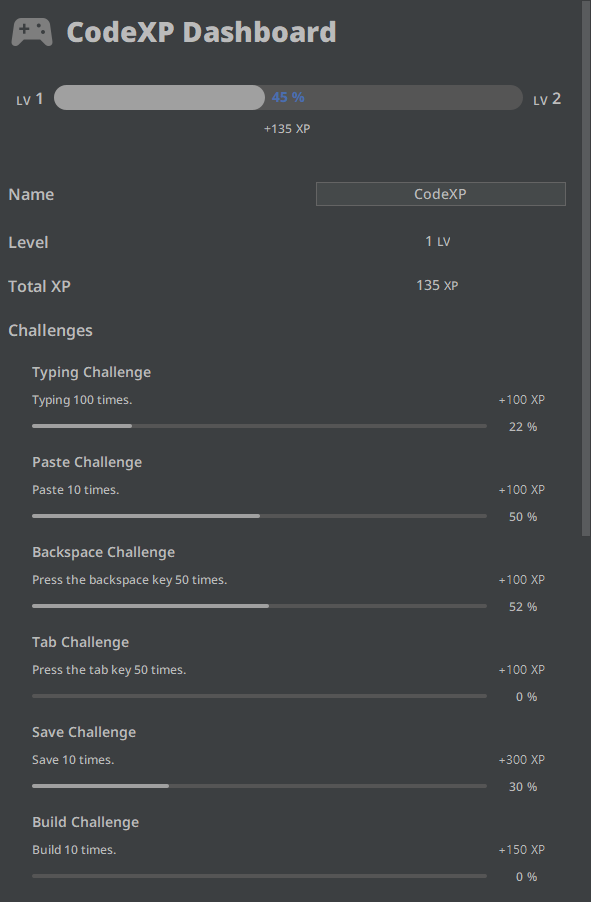
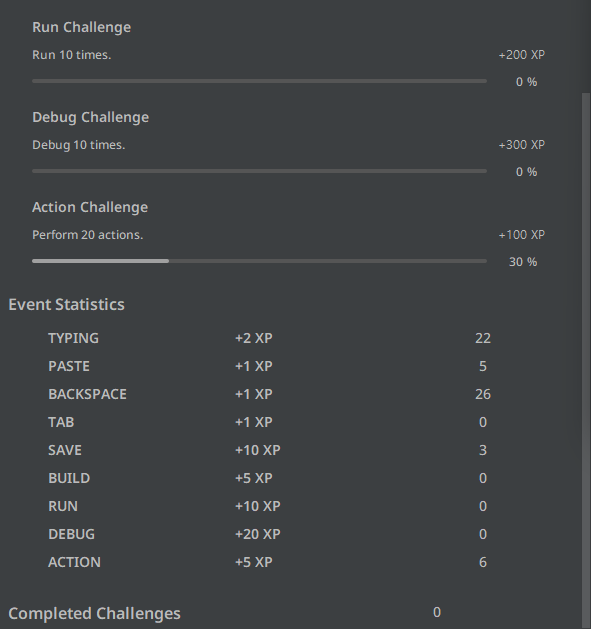
In the CodeXP Dashboard, you can check your work statistics, experience points, level, and more. You can also see how much progress you’ve made on various current challenges and what challenges you’ve completed. The Dashboard can be accessed via the following menu:
View -> Tool Windows -> CodeXP Dashboard
Below are screenshots of the interface in Light/Dark themes.
Work Experience Points
CodeXP detects the following events in the IDE and assigns experience points. The list below shows the events detected by CodeXP, and the numbers on the right are the amount of experience points given when the event is detected once.
Typing: +2 XPPaste: +1 XPBackspace: +1 XPTab: +1 XPSave: +10 XPBuild: +5 XPRun: +10 XPDebug: +20 XPAction: +5 XP
Experience points for each event are based on the importance of the actual work. However, these figures can change as development progresses, and more diverse events can be added beyond the currently registered ones.
Challenges
Challenges have been added for all work events that grant experience points! As each event challenge is completed, more difficult challenges are added.
But don’t give up just because it’s hard!
When you complete challenges, you’ll be rewarded with plenty of experience points. The harder the challenge, the more experience points you can earn! Completed challenges can be checked on the Dashboard and are displayed as follows.

Leveling System
CodeXP is striving to provide endless motivation through an unrestricted leveling system. Although it takes more experience points to level up, this is somewhat offset by completing increasingly difficult challenges and earning more experience points.
Notifications
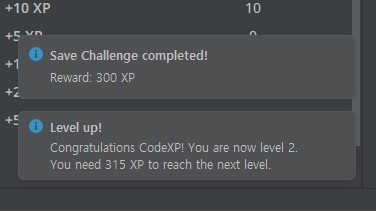
When you level up or complete a challenge, we’ll let you know through the IDE’s Notification!
- When a challenge is completed, it shows the type of challenge completed and the experience points earned.
- When leveling up, it shows the current level and the experience points needed to reach the next level.
Contact
If you have any errors or improvements regarding the plugin, please let us know through any of the following convenient ways!
Email: Speak directly to the developer! You can get the fastest feedback.
CodeXP Github: This is where CodeXP’s source code is open! If you have any problems or improvements, please create and write a new Issue. PRs are always welcome.
JetBrains Marketplace: You can also contact us through the review or Report Issue on the JetBrains Marketplace.